Build your first automation in under 5 minutes. Sign up for free.

Connect Stripe to Basecamp

Build automations that connect Stripe to Basecamp. When something happens in Stripe, Nodest passes the data along and runs the actions you set up in Basecamp or the other way around — no coding required.

Automations

Popular Stripe and Basecamp workflows

Pick a ready-made workflow that connects Stripe with Basecamp, customise it to fit your needs, and go live in minutes.

StripeBasecamp

Create schedule entries in Basecamp for new disputes in Stripe

When “Dispute created” fires in Stripe, Nodest will create a schedule entry in Basecamp.

StripeBasecamp

Send campfire messages in Basecamp for new disputes in Stripe

When “Dispute created” fires in Stripe, Nodest will send a campfire message in Basecamp.

StripeBasecamp

Send campfire messages in Basecamp for canceled subscriptions in Stripe

When “Subscription canceled” fires in Stripe, Nodest will send a campfire message in Basecamp.

StripeBasecamp

Send campfire messages in Basecamp for new subscriptions in Stripe

When “Subscription created” fires in Stripe, Nodest will send a campfire message in Basecamp.

StripeBasecamp

Send campfire messages in Basecamp for completed checkout sessions in Stripe

When “Checkout session completed” fires in Stripe, Nodest will send a campfire message in Basecamp.

StripeBasecamp

Create projects in Basecamp for new subscriptions in Stripe

When “Subscription created” fires in Stripe, Nodest will create a project in Basecamp.

StripeBasecamp

Create cards in Basecamp for completed checkout sessions in Stripe

When “Checkout session completed” fires in Stripe, Nodest will create a card in Basecamp.

StripeBasecamp

Create cards in Basecamp for new subscriptions in Stripe

When “Subscription created” fires in Stripe, Nodest will create a card in Basecamp.

StripeBasecamp

Create to-dos in Basecamp for completed checkout sessions in Stripe

When “Checkout session completed” fires in Stripe, Nodest will create a to-do in Basecamp.

StripeBasecamp

Create to-dos in Basecamp for canceled subscriptions in Stripe

When “Subscription canceled” fires in Stripe, Nodest will create a to-do in Basecamp.

StripeBasecamp

Create to-dos in Basecamp for failed invoice payments in Stripe

When “Invoice payment failed” fires in Stripe, Nodest will create a to-do in Basecamp.

StripeBasecamp

Create to-dos in Basecamp for new disputes in Stripe

When “Dispute created” fires in Stripe, Nodest will create a to-do in Basecamp.

Triggers and actions

Available triggers and actions for Stripe and Basecamp

Combine the triggers and actions of Stripe and Basecamp to build your automation. Triggers start the automation, and actions are the steps that follow.

Charge refundedTrigger

Charge refunded

Fires when a Stripe charge is fully or partly refunded.

Checkout session completedTrigger

Checkout session completed

Fires when a customer completes a Stripe checkout.

Customer createdTrigger

Customer created

Fires when a customer is added to Stripe.

Customer deletedTrigger

Customer deleted

Fires when a customer is deleted from Stripe.

Customer updatedTrigger

Customer updated

Fires when a customer's details change in Stripe.

Dispute createdTrigger

Dispute created

Fires when a customer disputes a Stripe payment.

Invoice paidTrigger

Invoice paid

Fires when a Stripe invoice is paid.

Invoice payment failedTrigger

Invoice payment failed

Fires when Stripe fails to collect payment for an invoice.

Payment failedTrigger

Payment failed

Fires when a Stripe payment attempt fails.

Payment succeededTrigger

Payment succeeded

Fires when a Stripe payment goes through.

Price createdTrigger

Price created

Fires when a price is added to a Stripe product.

Product createdTrigger

Product created

Fires when a product is added to your Stripe catalog.

Subscription canceledTrigger

Subscription canceled

Fires when a Stripe subscription ends.

Subscription createdTrigger

Subscription created

Fires when a customer starts a Stripe subscription.

Subscription updatedTrigger

Subscription updated

Fires when a Stripe subscription changes, such as a new plan.

Add a tax ID to a customerAction

Add a tax ID to a customer

Add a tax ID to a Stripe customer.

Add an item to an invoiceAction

Add an item to an invoice

Add a line item to a Stripe invoice.

Archive a priceAction

Archive a price

Stop a price from being used in new sales.

Archive a productAction

Archive a product

Hide a product from new sales in Stripe.

Cancel a subscriptionAction

Cancel a subscription

End a Stripe subscription now or at period end.

Change a subscription's priceAction

Change a subscription's price

Move a subscription to a different price.

Collect payment for an invoiceAction

Collect payment for an invoice

Charge the saved payment method for an invoice.

Create a checkout sessionAction

Create a checkout session

Create a Stripe checkout page for a price.

Create a couponAction

Create a coupon

Create a discount coupon in Stripe.

Create a customerAction

Create a customer

Add a customer to your Stripe account.

Create a payment linkAction

Create a payment link

Create a shareable Stripe payment link.

Create a priceAction

Create a price

Add a price to a Stripe product.

Create a productAction

Create a product

Add a product to your Stripe catalog.

Create a promotion codeAction

Create a promotion code

Create a code customers enter for a coupon.

Create a refundAction

Create a refund

Refund a payment in Stripe.

Create a subscriptionAction

Create a subscription

Start a subscription for a Stripe customer.

Create an invoiceAction

Create an invoice

Start a draft invoice for a Stripe customer.

Deactivate a payment linkAction

Deactivate a payment link

Turn off a Stripe payment link.

Deactivate a promotion codeAction

Deactivate a promotion code

Stop a promotion code from working.

Delete a couponAction

Delete a coupon

Remove a coupon from Stripe.

Delete a customerAction

Delete a customer

Remove a customer from your Stripe account.

Delete a draft invoiceAction

Delete a draft invoice

Remove a draft invoice from Stripe.

Expire a checkout sessionAction

Expire a checkout session

Close an open Stripe checkout session.

Finalize an invoiceAction

Finalize an invoice

Turn a draft Stripe invoice into a final one.

Find checkout sessionsAction

Find checkout sessions

List checkout sessions in your Stripe account.

Find couponsAction

Find coupons

List coupons in your Stripe account.

Find customersAction

Find customers

List customers in your Stripe account.

Find invoicesAction

Find invoices

List invoices in your Stripe account.

Find payment linksAction

Find payment links

List payment links in your Stripe account.

Find paymentsAction

Find payments

List payments in your Stripe account.

Find pricesAction

Find prices

List prices in your Stripe account.

Find productsAction

Find products

List products in your Stripe account.

Find promotion codesAction

Find promotion codes

List promotion codes in your Stripe account.

Find refundsAction

Find refunds

List refunds in your Stripe account.

Find subscriptionsAction

Find subscriptions

List subscriptions in your Stripe account.

Find tax ratesAction

Find tax rates

List tax rates in your Stripe account.

Mark an invoice uncollectibleAction

Mark an invoice uncollectible

Write off an unpaid Stripe invoice.

Pause a subscriptionAction

Pause a subscription

Pause payment collection on a subscription.

Remove metadata from a customerAction

Remove metadata from a customer

Delete a metadata value from a Stripe customer.

Remove metadata from a priceAction

Remove metadata from a price

Delete a metadata value from a Stripe price.

Remove metadata from a productAction

Remove metadata from a product

Delete a metadata value from a Stripe product.

Remove metadata from a subscriptionAction

Remove metadata from a subscription

Delete a metadata value from a subscription.

Retrieve a checkout sessionAction

Retrieve a checkout session

Get one checkout session from your Stripe account.

Retrieve a customerAction

Retrieve a customer

Get one customer from your Stripe account.

Retrieve a paymentAction

Retrieve a payment

Get one payment from your Stripe account.

Retrieve a priceAction

Retrieve a price

Get one price from your Stripe account.

Retrieve a productAction

Retrieve a product

Get one product from your Stripe account.

Retrieve a subscriptionAction

Retrieve a subscription

Get one subscription from your Stripe account.

Retrieve an invoiceAction

Retrieve an invoice

Get one invoice from your Stripe account.

Send an invoiceAction

Send an invoice

Email a Stripe invoice to the customer.

Set metadata on a customerAction

Set metadata on a customer

Save a metadata value on a Stripe customer.

Set metadata on a priceAction

Set metadata on a price

Save a metadata value on a Stripe price.

Set metadata on a productAction

Set metadata on a product

Save a metadata value on a Stripe product.

Set metadata on a subscriptionAction

Set metadata on a subscription

Save a metadata value on a Stripe subscription.

Undo a scheduled cancellationAction

Undo a scheduled cancellation

Keep a subscription that was set to cancel.

Unpause a subscriptionAction

Unpause a subscription

Resume payment collection on a subscription.

Update a customerAction

Update a customer

Change a customer in your Stripe account.

Update a customer's invoice settingsAction

Update a customer's invoice settings

Set how a Stripe customer's invoices look.

Update a customer's shipping addressAction

Update a customer's shipping address

Set the shipping address of a Stripe customer.

Update a priceAction

Update a price

Change a price in your Stripe catalog.

Update a productAction

Update a product

Change a product in your Stripe catalog.

Update a subscriptionAction

Update a subscription

Change a subscription in Stripe.

Void an invoiceAction

Void an invoice

Cancel a finalized Stripe invoice.

Card createdTrigger

Card created

Fires when a card is added to a card table.

Comment postedTrigger

Comment posted

Fires when someone comments on an item.

Document createdTrigger

Document created

Fires when a document is added to a project.

Message postedTrigger

Message posted

Fires when a message is posted to a project.

Schedule entry createdTrigger

Schedule entry created

Fires when an event is added to a schedule.

To-do assignment changedTrigger

To-do assignment changed

Fires when a to-do's assignees change.

To-do completedTrigger

To-do completed

Fires when a to-do is ticked off.

To-do createdTrigger

To-do created

Fires when a to-do is added to a project.

To-do list createdTrigger

To-do list created

Fires when a to-do list is added to a project.

Add a comment to a recordingAction

Add a comment to a recording

Comment on any item in Basecamp.

Add people to a projectAction

Add people to a project

Give people access to a Basecamp project.

Archive a projectAction

Archive a project

Archive a Basecamp project.

Archive a recordingAction

Archive a recording

Archive any item in Basecamp.

Complete a to-doAction

Complete a to-do

Mark a Basecamp to-do as completed.

Create a cardAction

Create a card

Add a card to a card table column.

Create a card table columnAction

Create a card table column

Add a column to a project's card table.

Create a documentAction

Create a document

Add a document to a Basecamp project.

Create a messageAction

Create a message

Post a message to a Basecamp project.

Create a message categoryAction

Create a message category

Add a message category to a project.

Create a projectAction

Create a project

Create a project in Basecamp.

Create a schedule entryAction

Create a schedule entry

Add an event to a project's schedule.

Create a to-doAction

Create a to-do

Add a to-do to a Basecamp to-do list.

Create a to-do listAction

Create a to-do list

Add a to-do list to a Basecamp project.

Delete a campfire messageAction

Delete a campfire message

Delete a message from a Campfire.

Delete a message categoryAction

Delete a message category

Remove a message category from a project.

Find campfire messagesAction

Find campfire messages

List recent messages in a Campfire.

Find campfiresAction

Find campfires

List Campfires you can see in Basecamp.

Find card table columnsAction

Find card table columns

List columns on a project's card table.

Find cardsAction

Find cards

List cards in a card table column.

Find commentsAction

Find comments

List comments on a Basecamp recording.

Find documentsAction

Find documents

List documents in a Basecamp project.

Find message categoriesAction

Find message categories

List message types in a Basecamp project.

Find messagesAction

Find messages

List messages on a project's message board.

Find peopleAction

Find people

List people in Basecamp or in a project.

Find projectsAction

Find projects

List projects in your Basecamp account.

Find recordingsAction

Find recordings

List recordings of one type in Basecamp.

Find schedule entriesAction

Find schedule entries

List events on a project's schedule.

Find to-do listsAction

Find to-do lists

List to-do lists in a Basecamp project.

Find to-dosAction

Find to-dos

List to-dos in a Basecamp to-do list.

Move a card to a columnAction

Move a card to a column

Move a card into another column.

Remove people from a projectAction

Remove people from a project

Take people off a Basecamp project.

Restore a projectAction

Restore a project

Restore an archived or trashed project.

Restore a recordingAction

Restore a recording

Restore an archived or trashed item.

Retrieve a campfireAction

Retrieve a campfire

Get a Basecamp Campfire by its id.

Retrieve a campfire messageAction

Retrieve a campfire message

Get one Campfire message by its id.

Retrieve a cardAction

Retrieve a card

Get a card table card by its id.

Retrieve a card table columnAction

Retrieve a card table column

Get a card table column by its id.

Retrieve a commentAction

Retrieve a comment

Get a Basecamp comment by its id.

Retrieve a documentAction

Retrieve a document

Get a Basecamp document by its id.

Retrieve a messageAction

Retrieve a message

Get a Basecamp message by its id.

Retrieve a message categoryAction

Retrieve a message category

Get a message category by its id.

Retrieve a personAction

Retrieve a person

Get one person in Basecamp by id.

Retrieve a projectAction

Retrieve a project

Get a Basecamp project by its id.

Retrieve a schedule entryAction

Retrieve a schedule entry

Get a schedule entry by its id.

Retrieve a to-doAction

Retrieve a to-do

Get a Basecamp to-do by its id.

Retrieve a to-do listAction

Retrieve a to-do list

Get a Basecamp to-do list by its id.

Send a campfire messageAction

Send a campfire message

Post a message to a Basecamp Campfire.

Trash a projectAction

Trash a project

Move a Basecamp project to the trash.

Trash a recordingAction

Trash a recording

Move any Basecamp item to the trash.

Uncomplete a to-doAction

Uncomplete a to-do

Mark a Basecamp to-do as not done.

Update a campfire messageAction

Update a campfire message

Edit a Campfire message in place.

Update a cardAction

Update a card

Change a card on a card table.

Update a card table columnAction

Update a card table column

Rename or recolour a card table column.

Update a commentAction

Update a comment

Edit the text of a Basecamp comment.

Update a documentAction

Update a document

Edit a Basecamp document.

Update a messageAction

Update a message

Edit or publish a Basecamp message.

Update a message categoryAction

Update a message category

Rename a project's message category.

Update a projectAction

Update a project

Rename or describe a Basecamp project.

Update a schedule entryAction

Update a schedule entry

Change an event on a project's schedule.

Update a to-doAction

Update a to-do

Change a to-do in Basecamp.

Update a to-do listAction

Update a to-do list

Rename or describe a to-do list.

How it works

Connect Stripe with Basecamp in three steps

Create automations that move data between Stripe and Basecamp. Nodest handles the work in between, so you can focus on what matters.

Connect Stripe and Basecamp

Link your Stripe and Basecamp accounts to Nodest in a few clicks, so both tools are ready to use in automations.

Pick a trigger

Choose the event that starts your automation, such as a new order, form submission, or updated record in Stripe or Basecamp.

Chain actions and go live

Add one or more actions, and combine them with filters, branches, and delays to create a workflow that fits your needs.
Automation tips and tricks for WordPress professionals

Learn how to take control of your time with automation tips and productivity insights - weekly to your inbox.

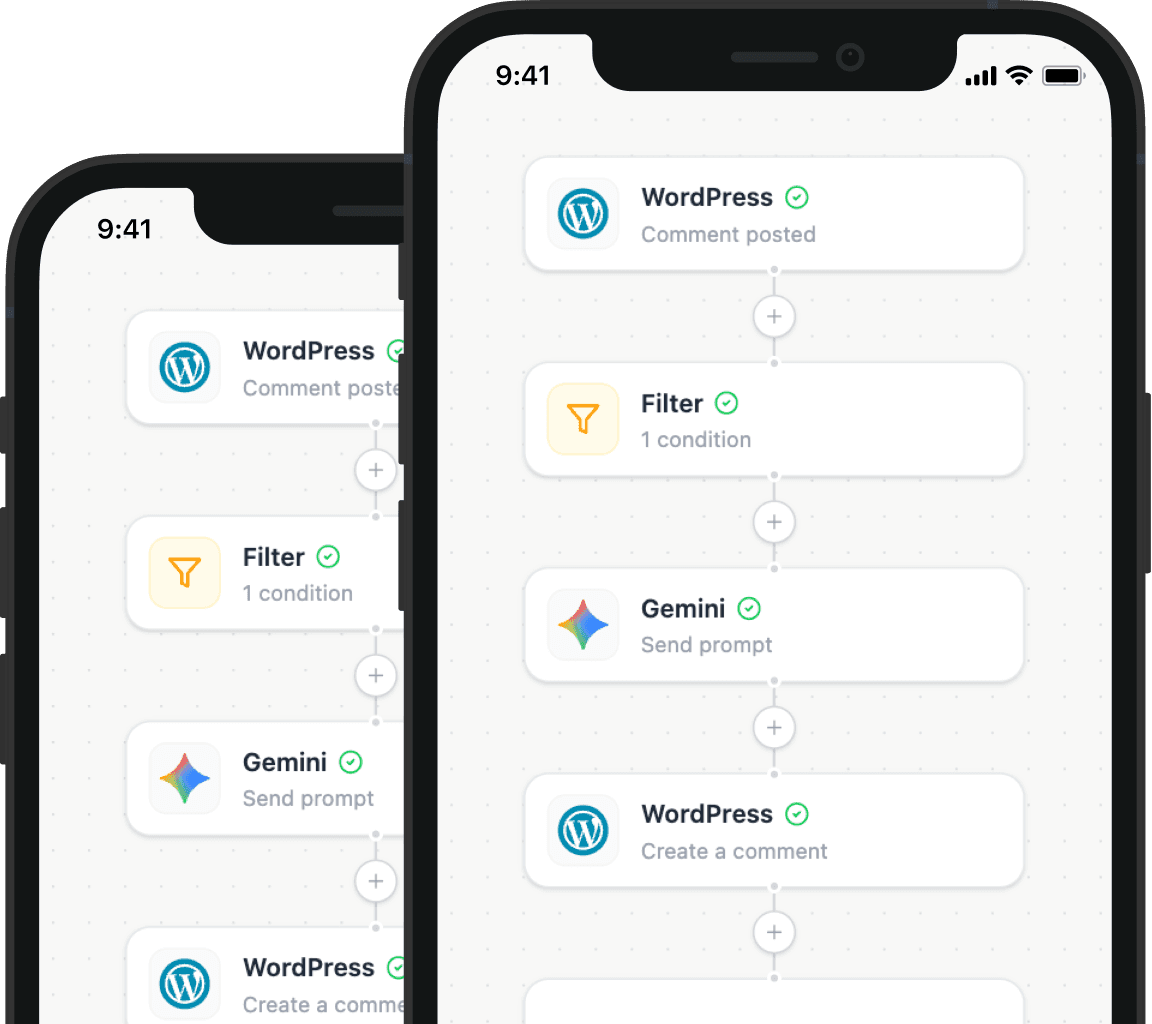
Illustration showing how Nodest connects WordPress to the tools you already use every day